
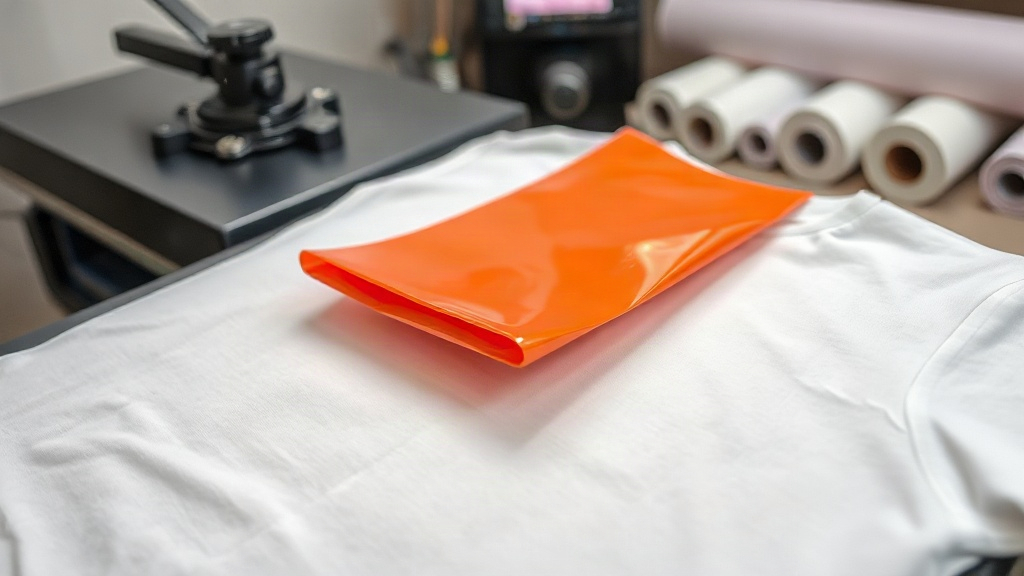
Imagine pressing a single sheet of film onto a cotton t-shirt and pulling away a print so vibrant it looks like it was woven into the fabric. That's the magic of DTF Transfers. Unlike traditional screen printing or vinyl, DTF (Direct-to-Film) technology opens up a world of possibilities for small businesses, crafters, and anyone who wants to create custom apparel without a steep learning curve. In this guide, I'll walk you through everything I've learned from countless hours of printing and pressing, so you can avoid common pitfalls and get professional results from day one.
What Are DTF Transfers and Why They Matter
DTF transfers are printed on a special PET film using water-based pigments. A hot-melt adhesive powder is applied to the wet print, then the film is cured. When you're ready to apply, you press the transfer onto fabric with a heat press. The adhesive melts, bonding the ink to the garment. The result is a soft, stretchable print that can go on almost any material, including cotton, polyester, blends, and even nylon. The technology has exploded in popularity because it eliminates the need for color separation, weeding, and multiple screens. You can print full-color, photographic designs in one go.
Setting Up Your Artwork for Success
Great prints start with great files. If your artwork is low-resolution or lacks transparency, no amount of fancy equipment will save it. Here's how to prepare your design:
- Resolution: Use 300 DPI (dots per inch) at the final print size. Vector files (AI, EPS) are ideal, but high-res PNGs work too.
- Transparency: Remove the background so only your design remains. DTF printers don't print white unless you tell them to, so a transparent background is crucial.
- Color Mode: Convert to CMYK. DTF printers interpret CMYK profiles, and what you see on screen may shift slightly.
- Mirroring: Remember to mirror your design horizontally before printing. The film is pressed face-down, so the image must be flipped.
I always recommend printing a small test strip before committing to a full sheet. It saves time and expensive film.
Printing DTF Transfers: Step by Step
If you're outsourcing, you can skip this section. But for those with a DTF printer, here's the workflow:
- Load the film: Use the correct side. The printable side is usually matte or has a slight texture. If you print on the wrong side, the ink will flake off.
- Print: Send your mirrored design to the printer. Ensure white ink is enabled if your design has light colors or will go on dark fabric.
- Powder: While the ink is still wet, sprinkle hot-melt adhesive powder evenly over the print. Shake off excess. You can use a powder shaker for larger runs.
- Cure: Place the film in a curing oven or under a heat press at 160°C (320°F) for 2-3 minutes. The powder should melt and become glossy. Don't overcook, or the film may warp.
Once cured, the transfers can be stored in a cool, dry place for months. I keep mine in a zip-lock bag with a silica gel packet to prevent moisture.
Applying DTF Transfers to Garments
Application is where the magic happens. Here's how to get a perfect bond every time:
- Pre-press: Always pre-press the garment for 5-10 seconds to remove moisture and wrinkles. This step is non-negotiable.
- Temperature: Set your heat press to 150-160°C (300-320°F). Too hot and the film may scorch; too cool and the adhesive won't activate.
- Pressure: Use medium to firm pressure. If you can slide the film after pressing, you need more pressure.
- Time: Press for 10-15 seconds. Peel the film while it's still warm (warm peel) for best results. If you wait until it's cold, the adhesive may stick to the film.
After peeling, press the garment again for 5 seconds with a protective sheet (like parchment paper) to fully set the ink. This step improves wash durability.
Common Mistakes and How to Avoid Them
Even seasoned pros make mistakes. Here are the ones I see most often:
- Not mirroring: If your text reads backwards, you forgot to mirror. Always double-check.
- Insufficient powder: If the transfer feels sticky or peels off, you didn't apply enough powder. The print should feel slightly rough, not slick.
- Over-pressing: Pressing too long or too hot can cause the film to shrink or the ink to discolor. Follow the manufacturer's guidelines.
- Washing too soon: Wait at least 24 hours before washing. The adhesive needs time to fully cure.
I once rushed a job and washed a shirt after an hour. The print cracked immediately. Learn from my mistake.
Washing and Care Instructions for DTF Prints
To keep your DTF transfers looking new, follow these care tips:
- Turn the garment inside out before washing.
- Use cold water and a gentle cycle.
- Avoid bleach and fabric softeners, which can break down the adhesive.
- Tumble dry on low or hang dry. High heat will cause the print to crack.
- If ironing is needed, do it inside out and avoid the printed area.
With proper care, a DTF print can last 50+ washes without fading or peeling. That's comparable to screen printing.
Frequently Asked Questions About DTF Transfers
Can I use DTF transfers on dark fabrics?
Absolutely. DTF printers lay down a white ink base under the colors, so the design pops on black, navy, or any dark color. Just ensure your printer has white ink channels and you enable white in your software.
What's the difference between DTF and DTG?
DTG (Direct-to-Garment) prints directly onto the fabric, while DTF prints onto a film that is then transferred. DTF works on more fabric types, including polyester and blends, and often produces more vibrant colors on dark garments. DTG is limited to cotton-rich fabrics.
How long do DTF transfers last?
When applied correctly and cared for properly, DTF transfers can last as long as the garment itself. I've seen prints survive over 50 washes with minimal fading. The key is proper curing during production and using the right heat press settings.
Do I need a special printer for DTF?
Yes, you need a DTF printer that uses pigment inks and has a white ink channel. You can convert some inkjet printers, but dedicated DTF printers are more reliable. Alternatively, you can order transfers from a service like DTF Print Smart and apply them with a home heat press.
Can I stretch DTF prints?
DTF prints are flexible and can stretch with the fabric to some degree. However, excessive stretching may cause cracking over time. For stretchy fabrics like spandex, choose a transfer with a high elastomer content or apply at a slightly lower temperature to maintain flexibility.