
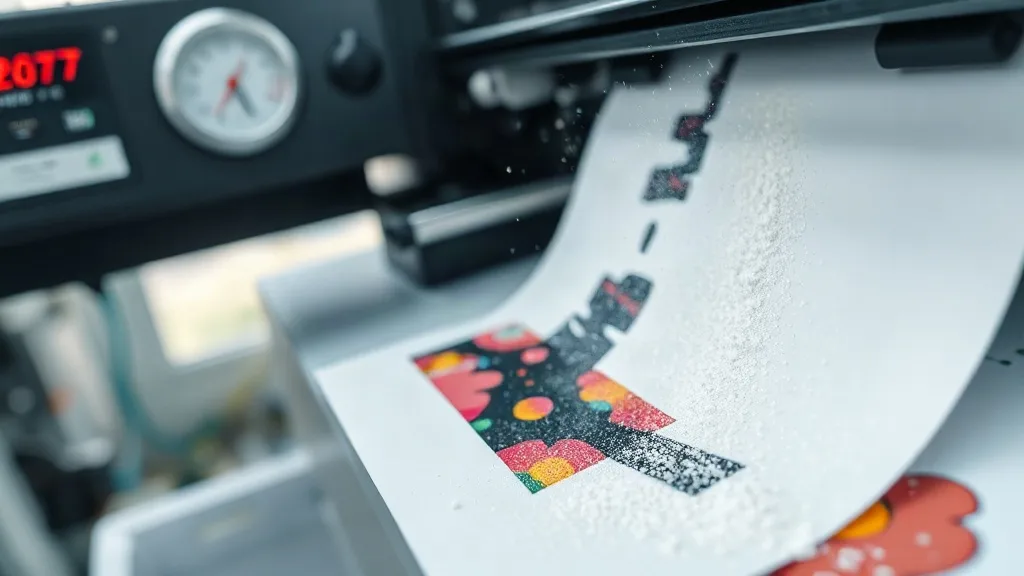
You've probably seen it: a fine layer of powder clinging to the film like dust on a windowsill, or clumps dropping onto the print before it even hits the press. Static and clogged powder are two of the most frustrating issues in dtf transfers production. They cause uneven adhesive, patchy results, and wasted materials. But here's the thing: these problems aren't random. They come from specific environmental and mechanical factors that you can control. In this guide, I'll walk you through the causes, the fixes, and the habits that keep your powder flowing freely.
Why Static and Clogging Happen in DTF
DTF printing relies on a fine thermoplastic powder that melts into the ink to create a durable adhesive layer. When that powder behaves unpredictably, the whole process suffers. Static electricity builds up on the film as it moves through the printer or during handling, attracting powder to unwanted areas. Clogging, on the other hand, occurs when powder particles stick together and block the flow from the shaker or hopper. Both issues are exacerbated by low humidity, improper grounding, and poor powder storage.
The role of humidity
Relative humidity below 40% is a common culprit. Dry air turns your transfer film into a static magnet. In winter, when indoor heating dries out the air, shops see a spike in static-related defects. The solution is simple: keep your production area between 45% and 60% relative humidity. A hygrometer costs less than a single ruined transfer, and a small humidifier can stabilize the whole room.
Grounding and equipment
Static builds up because the film and the printer aren't properly grounded. Check that your printer is connected to a grounded outlet and that the frame is not isolated. Some shops add anti-static mats under the printer and use anti-static brushes or tinsel near the film path. If you're running a high-volume dtf setup, an ionizing bar can be a game-changer.
Preventing Powder Clogs
Clogging is often a storage and handling issue. Powder absorbs moisture from the air, and damp powder clumps. Store powder in an airtight container with a desiccant pack. When filling your shaker, avoid leaving the lid open for long periods. Also, clean the shaker screen regularly; a clogged screen is a common source of uneven powder distribution.
Proper powder application technique
Even with good storage, application matters. Use a shaker that distributes powder evenly, and don't overfill the shaker. Too much powder can cause buildup and clogging. After shaking, gently tilt the film to let excess powder fall off, then tap the back to remove any loose particles. A soft brush can help spread powder into the wet ink without scratching the film.
Choosing the right powder
Not all powders are created equal. Low-quality powders may have inconsistent particle size, leading to clogs and poor adhesion. Invest in a reputable brand with a narrow particle size distribution. If you're unsure, test a small batch before committing to a large order. For those who need a reliable source, you can find dtf transfers near me that supply quality powders and films.
Fixing Static on the Fly
When static strikes mid-job, you need quick fixes. Keep an anti-static gun or a can of anti-static spray handy. A light mist over the film (from a safe distance) can neutralize charges. Alternatively, wipe the film with a dryer sheet, but be careful not to leave residue that affects adhesion. For immediate relief, increase humidity temporarily by boiling water or using a humidifier.
Long-term static control
For a permanent solution, install an ionizing bar across the film path. This device emits ions that neutralize static as the film passes. It's an investment, but it pays off in reduced waste and higher quality. Also, ensure your workspace is free of carpets and synthetic clothing that generate static. Ground yourself and your equipment regularly.
Step-by-Step Troubleshooting
When you encounter static or clogging, follow this sequence:
- Check humidity levels. If below 40%, increase humidity.
- Inspect the powder for clumps. If clumpy, replace with fresh, dry powder.
- Clean the shaker screen and hopper.
- Verify that the printer and work surface are properly grounded.
- Use anti-static measures (ionizing bar, anti-static mat, spray).
- Test a small print to confirm the fix.
This systematic approach saves time and prevents guesswork.
Best Practices for a Smooth Operation
Prevention beats cure. Establish a daily routine: check humidity, clean the shaker, and ground yourself. Store powder correctly and rotate stock. Train your team on proper handling. Keep a log of issues and solutions to build your own knowledge base. Over time, you'll notice fewer defects and more consistent output.
Frequently Asked Questions
Can I use a regular humidifier to control static?
Yes, but use a cool-mist humidifier and monitor with a hygrometer to avoid over-humidifying, which can cause other issues like ink smudging.
How often should I clean my powder shaker?
Clean the screen daily and do a deep clean weekly. If you notice clumping or uneven flow, clean immediately.
What's the best way to store DTF powder?
Keep it in an airtight container with a desiccant pack, away from heat and moisture. Use within the recommended shelf life.
Can static damage my printer?
Static can attract dust to sensitive components and cause jams, but it's unlikely to cause direct electronic damage if the printer is properly grounded.
Are anti-static sprays safe for DTF film?
Use them sparingly and ensure they dry completely before printing. Test on a small area first to avoid residue that affects adhesion.